> ## Documentation Index
> Fetch the complete documentation index at: https://bunnynet-cb9733c2-onclientmiddleware.mintlify.site/llms.txt
> Use this file to discover all available pages before exploring further.
# MP4 Fallback
> The bunny.net Stream platform offers MP4 URL access to some resolutions of video enabled, which may be useful in an environment where HLS playback or using our player is not possible (e.g. for legacy devices).
MP4 Fallback exposes a direct MP4 URL for each video alongside the default HLS stream — useful for legacy devices, environments without a player, or downloadable content. The sections below cover how to enable it, how to construct the URLs, and the security considerations to be aware of.
## Prerequisites
* You must have a [Video Library created](/stream/quickstart#creating-a-video-library).
* You need to have MP4 Fallback enabled under the encoding tab of the created video library
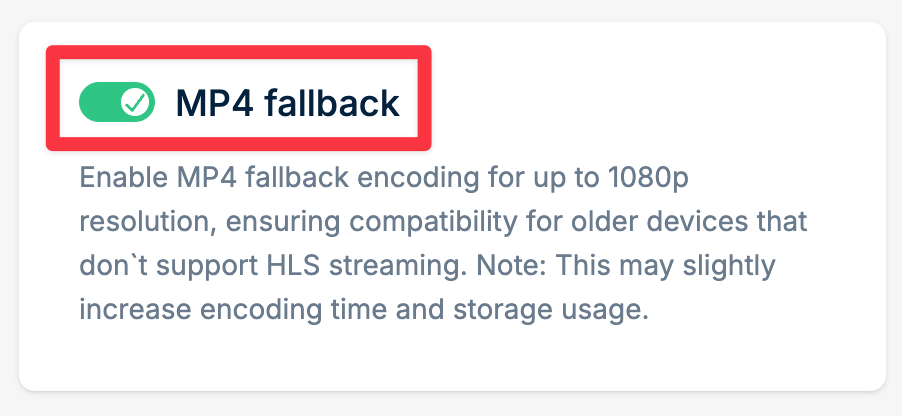 * **Only videos uploaded after enabling MP4 Fallback will generate the MP4 file. Please keep in mind that the fallbacks go up to a maximum of 1080P in quality if the original permits.**
* In addition to the above, we do not upscale videos. A 1080P fallback for example cannot be generated if the maximum quality of the original video is 480P, but in that case then play\_480p.mp4 would work.
## How to retrieve the MP4 URL?
Navigate to your video in the Stream dashboard.
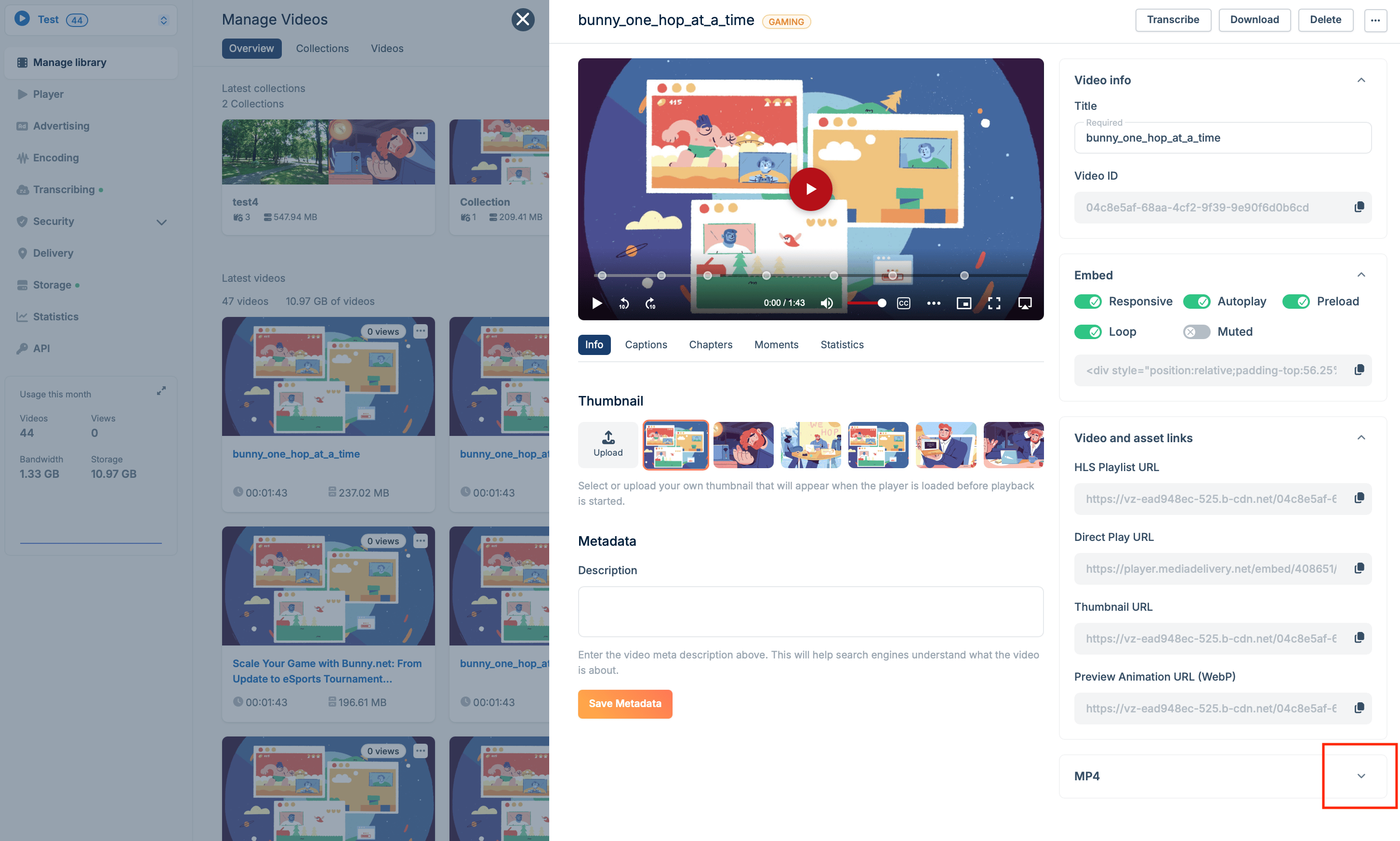
MP4 URLs will appear on your video page - click to expand.
* **Only videos uploaded after enabling MP4 Fallback will generate the MP4 file. Please keep in mind that the fallbacks go up to a maximum of 1080P in quality if the original permits.**
* In addition to the above, we do not upscale videos. A 1080P fallback for example cannot be generated if the maximum quality of the original video is 480P, but in that case then play\_480p.mp4 would work.
## How to retrieve the MP4 URL?
Navigate to your video in the Stream dashboard.
MP4 URLs will appear on your video page - click to expand.
 You can now copy each MP4 resolution URL link or download the MP4 locally.
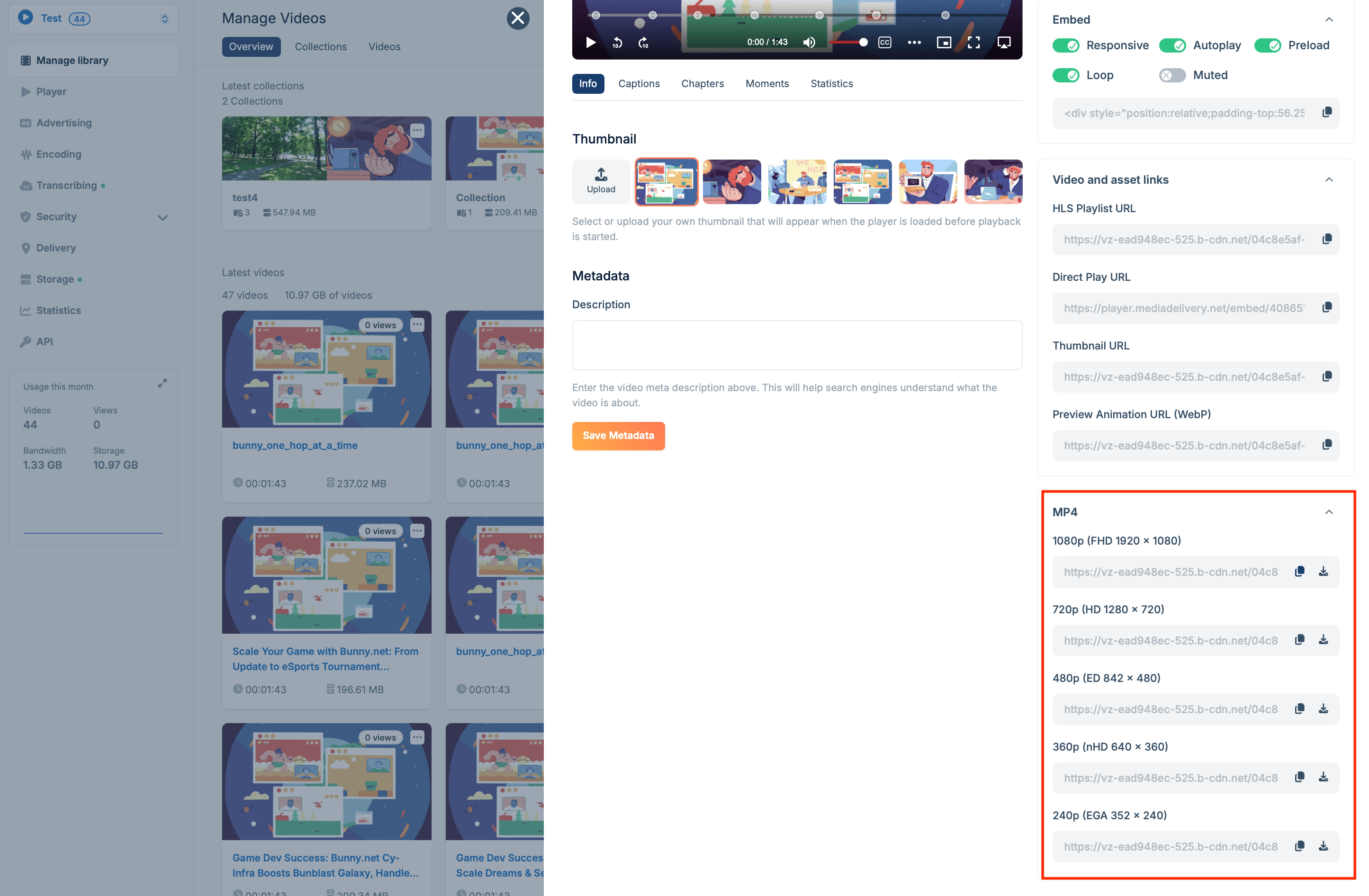 Assuming that the above eligibility criteria have been satisfied, you can generate an MP4 URL employing the subsequent structure:
```bash theme={null}
https://pull_zone_url.b-cdn.net/video_id/play_{ResolutionHeight}p.mp4
```
While producing the above mentioned URL, it is critical to bear in mind that the fallback selections are only up to 1080p. It may be easier to copy/paste the HLS URL and then change the file on the end to the MP4 URL. Thus, any resolution that is higher than 1080p, such as 2160p, will trigger a 404 error because it is not present. If you only have one resolution enabled (for example, 2160p only (and nothing else) then we will generate an MP4 URL for that resolution).
The final link should appear as follows:
```bash theme={null}
https://pull_zone_url.b-cdn.net/video_id/play_1080p.mp4
```
## Troubleshooting
Review your security settings, as they are likely the cause:
* Token authentication is enabled, but you are not producing a token or creating it incorrectly.
* Allowed domains are specified, restricting video playback to only authorized domains.
* Direct URL file access is denied. If you type the URL into your browser's address bar, you'll get a 403 error since you're attempting to access it directly. This is common on Apple devices, which do not send the correct referrer headers.
This is most likely due to one of two things:
* An incorrect URL construction.
* The fallback resolution you want to use does not exist.
Assuming that the above eligibility criteria have been satisfied, you can generate an MP4 URL employing the subsequent structure:
```bash theme={null}
https://pull_zone_url.b-cdn.net/video_id/play_{ResolutionHeight}p.mp4
```
While producing the above mentioned URL, it is critical to bear in mind that the fallback selections are only up to 1080p. It may be easier to copy/paste the HLS URL and then change the file on the end to the MP4 URL. Thus, any resolution that is higher than 1080p, such as 2160p, will trigger a 404 error because it is not present. If you only have one resolution enabled (for example, 2160p only (and nothing else) then we will generate an MP4 URL for that resolution).
The final link should appear as follows:
```bash theme={null}
https://pull_zone_url.b-cdn.net/video_id/play_1080p.mp4
```
## Troubleshooting
Review your security settings, as they are likely the cause:
* Token authentication is enabled, but you are not producing a token or creating it incorrectly.
* Allowed domains are specified, restricting video playback to only authorized domains.
* Direct URL file access is denied. If you type the URL into your browser's address bar, you'll get a 403 error since you're attempting to access it directly. This is common on Apple devices, which do not send the correct referrer headers.
This is most likely due to one of two things:
* An incorrect URL construction.
* The fallback resolution you want to use does not exist.