> ## Documentation Index
> Fetch the complete documentation index at: https://bunnynet-cb9733c2-onclientmiddleware.mintlify.site/llms.txt
> Use this file to discover all available pages before exploring further.
# Creating a custom WAF rule
> Define your own WAF rules in Bunny Shield to fine-tune existing protections or block threats the managed ruleset doesn't cover.
Custom WAF rules let you write conditions Bunny Shield doesn't cover out of the box. You pick the variables, operators, transformations, and response actions to target threats specific to your application.
## What you'll need
Before you dive in, make sure you have the following prerequisites in place:
* A [bunny.net](https://bunny.net/) account ( [Log in](https://dash.bunny.net/auth/login?pk_buttonlocation=menu) or sign up for a [free trial](https://dash.bunny.net/auth/register)).
* An existing Shield Zone.
* Advanced Plan or above on the existing Shield Zone.
* Your AccessKey or JWT for API authentication.
With these in place, you'll have the access and permissions needed to create and manage custom WAF rules.
## Creating a custom WAF rule
Before writing your first rule, read the [Rule Engine](/shield/rule-engine) documentation to understand how rules are structured.
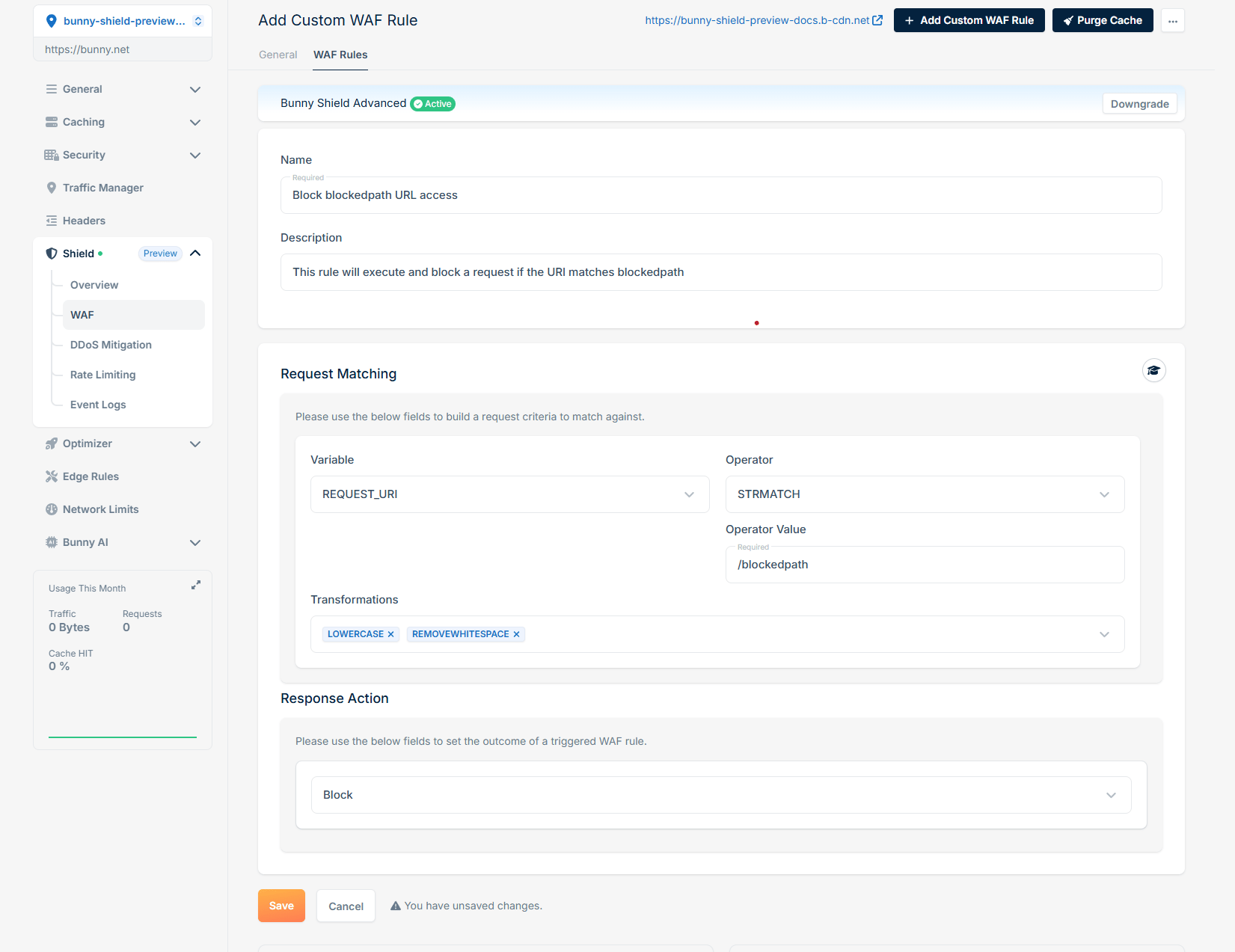 This rule processes each HTTP request by extracting only the REQUEST\_URI (**Variable**), converting it to lowercase, and removing whitespaces (**Transformations**). It then verifies if the transformed REQUEST\_URI matches exactly (**Operator**) with '/blockedpath' (**Operator Value**). If a match is found, our WAF Engine will block (**Response Action**) the request, halting further rule processing and intercepting the request.
With the basics covered, you can write WAF rules that target the threats specific to your site.
## Examples of custom WAF rules
To illustrate how you can implement custom WAF rules, here are some practical examples:
### Block request by ASN
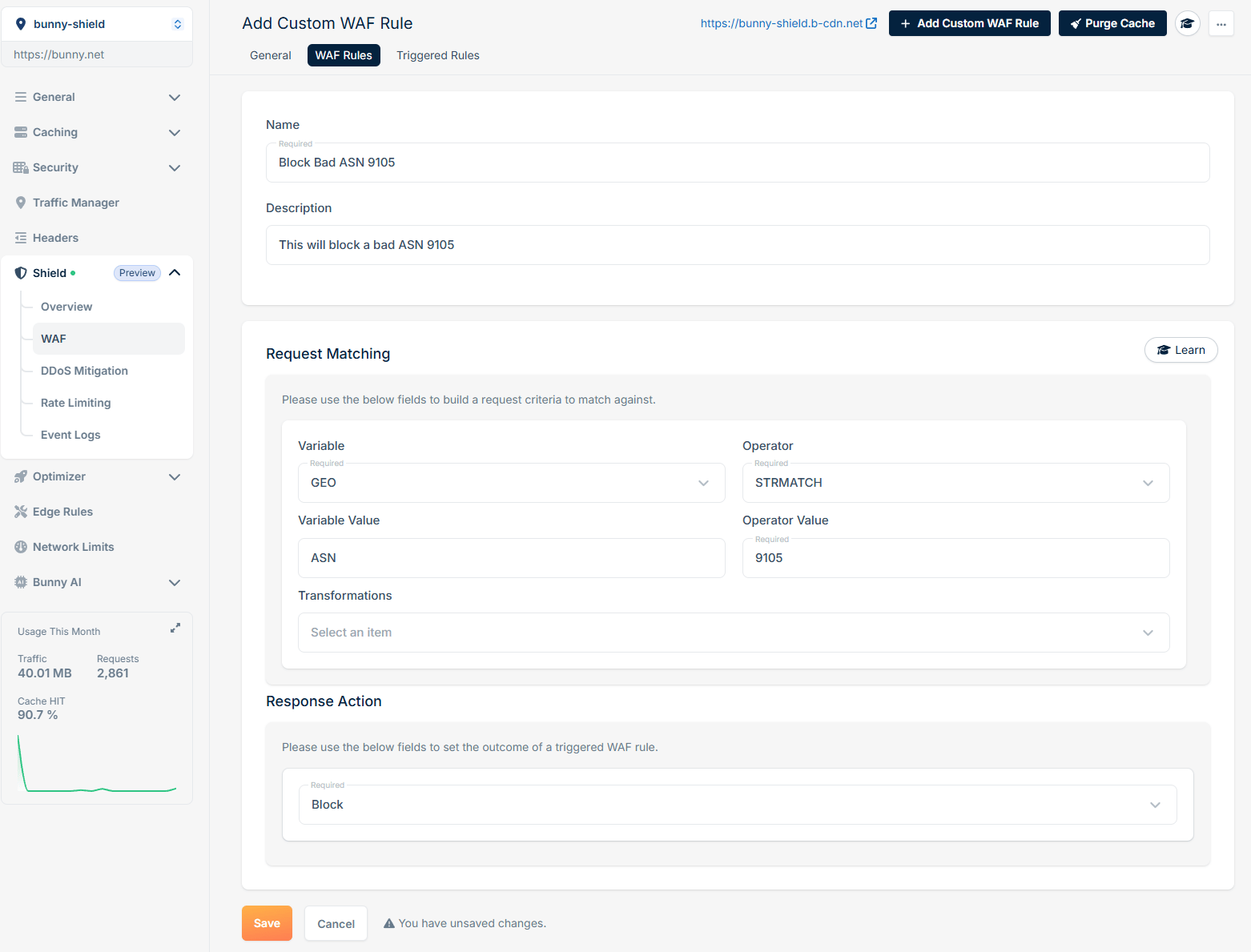
If you want to block requests that originate from a specific ASN, you can create a rule as follows:
This rule processes each HTTP request by extracting only the REQUEST\_URI (**Variable**), converting it to lowercase, and removing whitespaces (**Transformations**). It then verifies if the transformed REQUEST\_URI matches exactly (**Operator**) with '/blockedpath' (**Operator Value**). If a match is found, our WAF Engine will block (**Response Action**) the request, halting further rule processing and intercepting the request.
With the basics covered, you can write WAF rules that target the threats specific to your site.
## Examples of custom WAF rules
To illustrate how you can implement custom WAF rules, here are some practical examples:
### Block request by ASN
If you want to block requests that originate from a specific ASN, you can create a rule as follows:
 ### Block request by country code
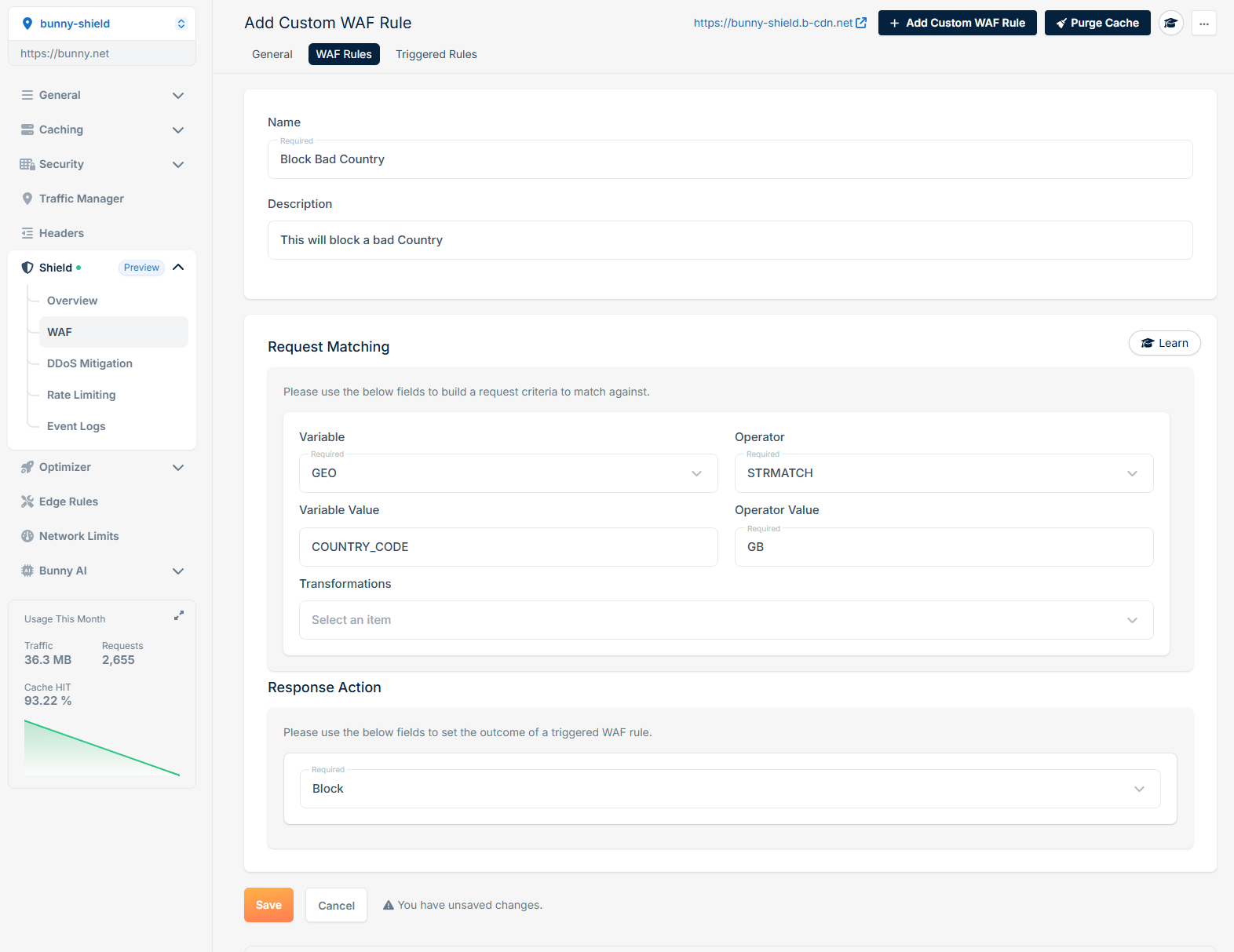
If you want to block requests that originate from a specific country code, you can create a rule as follows:
### Block request by country code
If you want to block requests that originate from a specific country code, you can create a rule as follows:
 ### Log request if the specific cookie is set and has a specific value
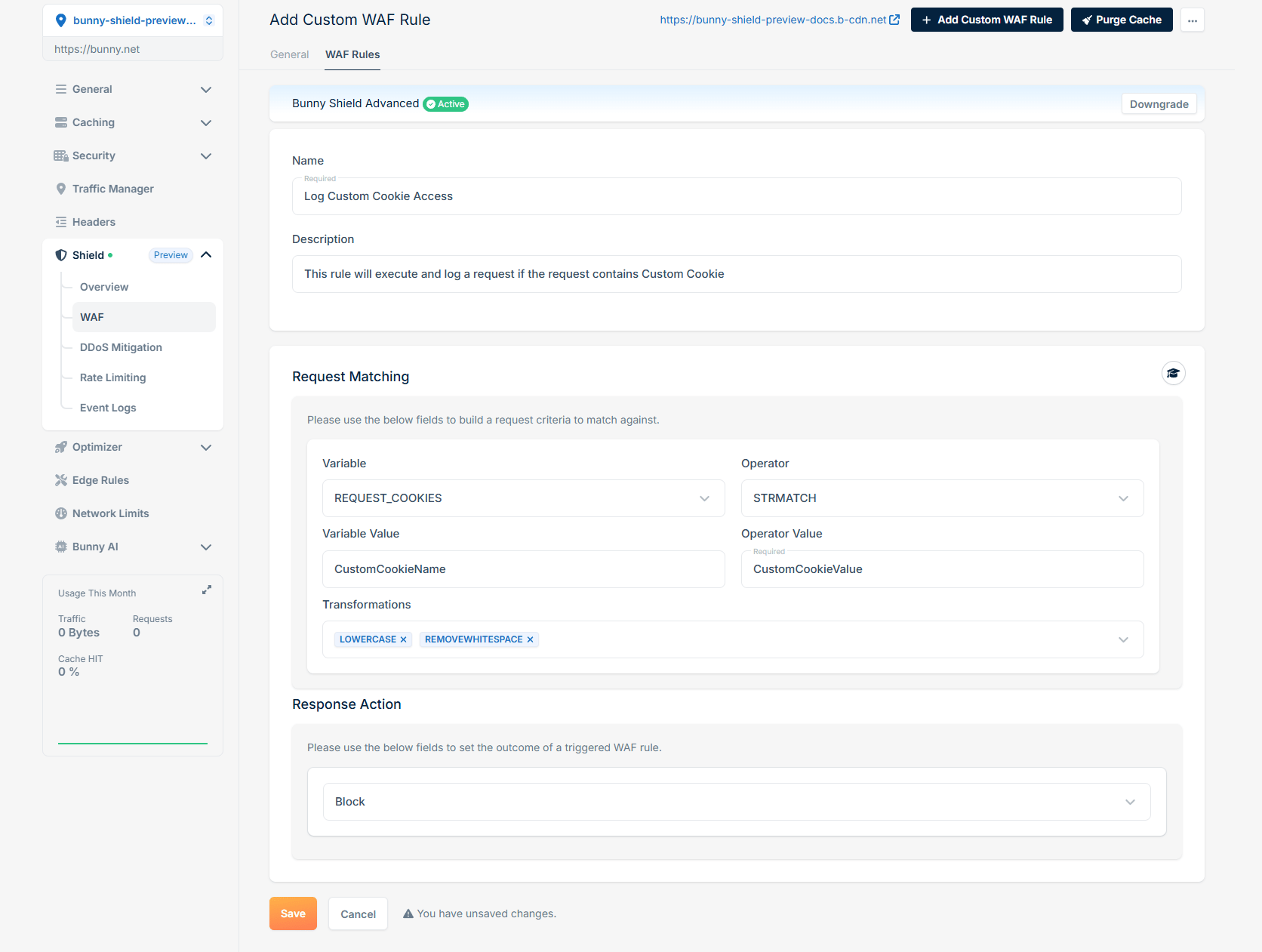
If you want to log requests that contain a specific cookie with a particular value, you can create a rule as follows:
### Log request if the specific cookie is set and has a specific value
If you want to log requests that contain a specific cookie with a particular value, you can create a rule as follows:
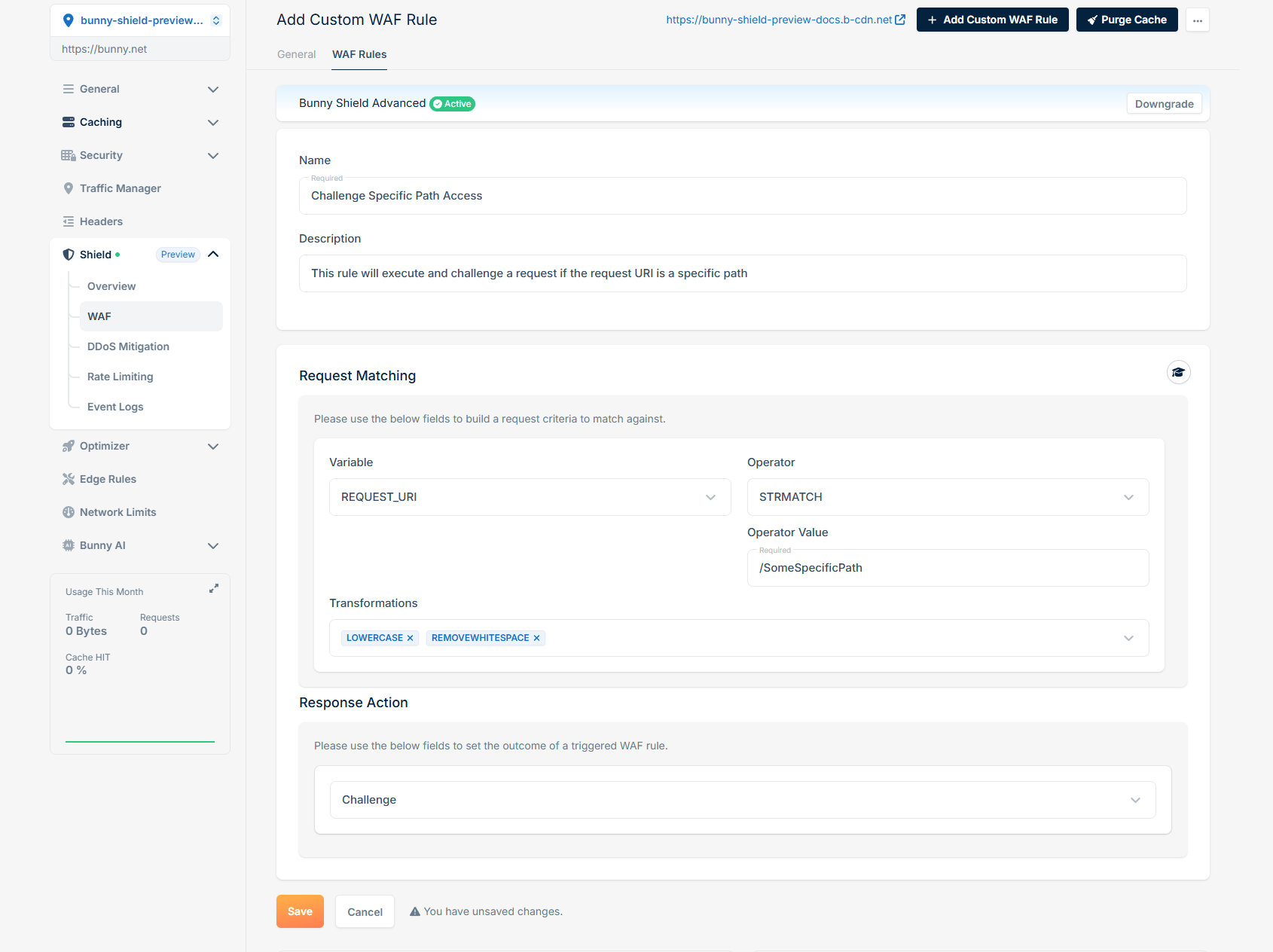
 ### Challenge request if a specific path is accessed
To challenge a user when they access a specific path, you can define a rule like this:
### Challenge request if a specific path is accessed
To challenge a user when they access a specific path, you can define a rule like this:
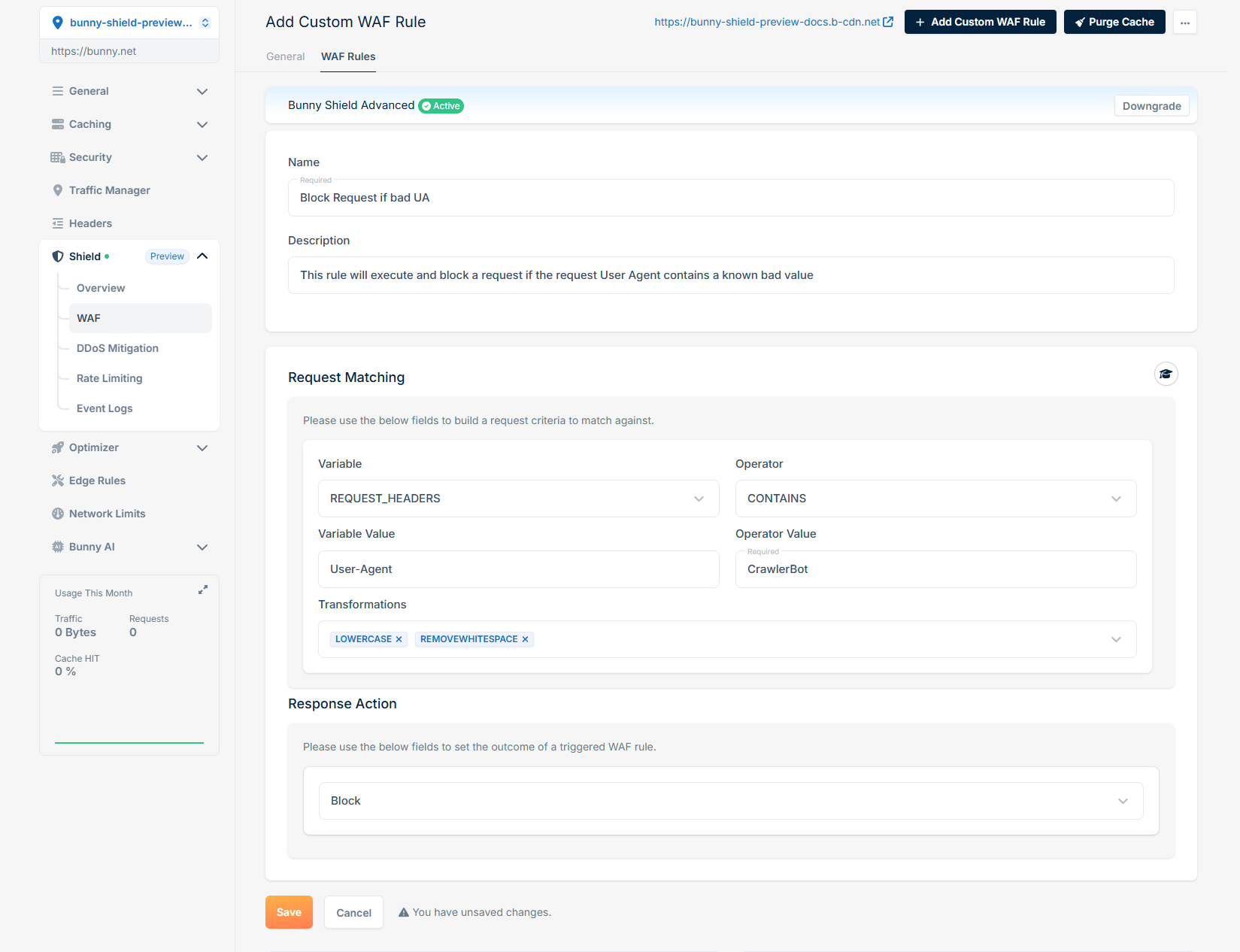
 ### Block request if User-Agent is a known crawler
To block requests that have a User-Agent matching a known crawler, the rule would be:
### Block request if User-Agent is a known crawler
To block requests that have a User-Agent matching a known crawler, the rule would be:
 Adapt these patterns to mitigate the threats and enforce the security policies that match your application.