> ## Documentation Index
> Fetch the complete documentation index at: https://bunnynet-cb9733c2-onclientmiddleware.mintlify.site/llms.txt
> Use this file to discover all available pages before exploring further.
# Auto-Recharge
> Automatically add funds when your balance runs low.
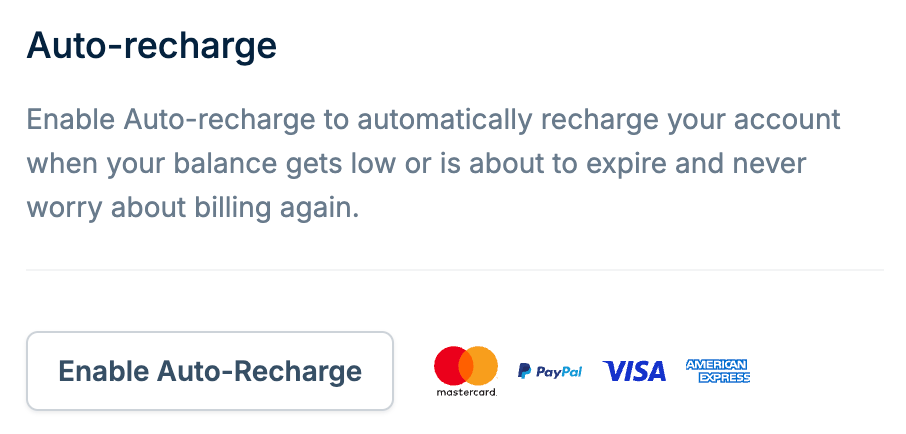
Auto-Recharge automatically tops up your account when your balance gets low or is about to expire. Once enabled, you never have to worry about manually adding funds.
You can enable Auto-Recharge from the [Billing](https://dash.bunny.net/account/billing) page.
 ## How it works
bunny.net operates on a pre-paid model where credits are deducted from your balance as you use services. Auto-Recharge triggers when your balance drops below \$5.00, automatically charging your saved payment method for the amount you configure.
## Setting up Auto-Recharge
Navigate to [Billing](https://dash.bunny.net/account/billing) in your
dashboard.
Click the **Enable Auto-Recharge** button.
Select a recharge amount: \$10, \$25, \$50, \$100, \$250, \$500, \$1000,
\$2000, or enter a custom amount.
Choose from your saved payment methods. To add a new payment method, use it
first to manually recharge your account.
Click **Set up Auto-Recharge** to enable.
## Supported payment methods
Auto-Recharge supports Mastercard, Visa, American Express, and PayPal.
## Troubleshooting
### My Auto-Recharge payment didn't trigger
To prevent excessive retries, Auto-Recharge only triggers every six hours. Your balance might temporarily appear below the threshold without a payment triggering. Wait a couple of hours to see if the payment executes.
If your balance continues to drop after 24 hours with no payment, the Auto-Recharge payments are likely failing. This could be due to:
* Credit card authorization failure
* Insufficient balance on the card
* Rejected payments
* Expired credit card
We only retry a card up to 5 times. After consecutive failures, you'll need to trigger a payment manually.
### Fixing failed Auto-Recharge
Try removing and re-adding your saved payment method. This re-authorizes the card for automatic charges.
If you're still unable to make a payment, [contact support](https://bunny.net/contact).
## How it works
bunny.net operates on a pre-paid model where credits are deducted from your balance as you use services. Auto-Recharge triggers when your balance drops below \$5.00, automatically charging your saved payment method for the amount you configure.
## Setting up Auto-Recharge
Navigate to [Billing](https://dash.bunny.net/account/billing) in your
dashboard.
Click the **Enable Auto-Recharge** button.
Select a recharge amount: \$10, \$25, \$50, \$100, \$250, \$500, \$1000,
\$2000, or enter a custom amount.
Choose from your saved payment methods. To add a new payment method, use it
first to manually recharge your account.
Click **Set up Auto-Recharge** to enable.
## Supported payment methods
Auto-Recharge supports Mastercard, Visa, American Express, and PayPal.
## Troubleshooting
### My Auto-Recharge payment didn't trigger
To prevent excessive retries, Auto-Recharge only triggers every six hours. Your balance might temporarily appear below the threshold without a payment triggering. Wait a couple of hours to see if the payment executes.
If your balance continues to drop after 24 hours with no payment, the Auto-Recharge payments are likely failing. This could be due to:
* Credit card authorization failure
* Insufficient balance on the card
* Rejected payments
* Expired credit card
We only retry a card up to 5 times. After consecutive failures, you'll need to trigger a payment manually.
### Fixing failed Auto-Recharge
Try removing and re-adding your saved payment method. This re-authorizes the card for automatic charges.
If you're still unable to make a payment, [contact support](https://bunny.net/contact).